building
Stripii: a redaction tool which checks its own work
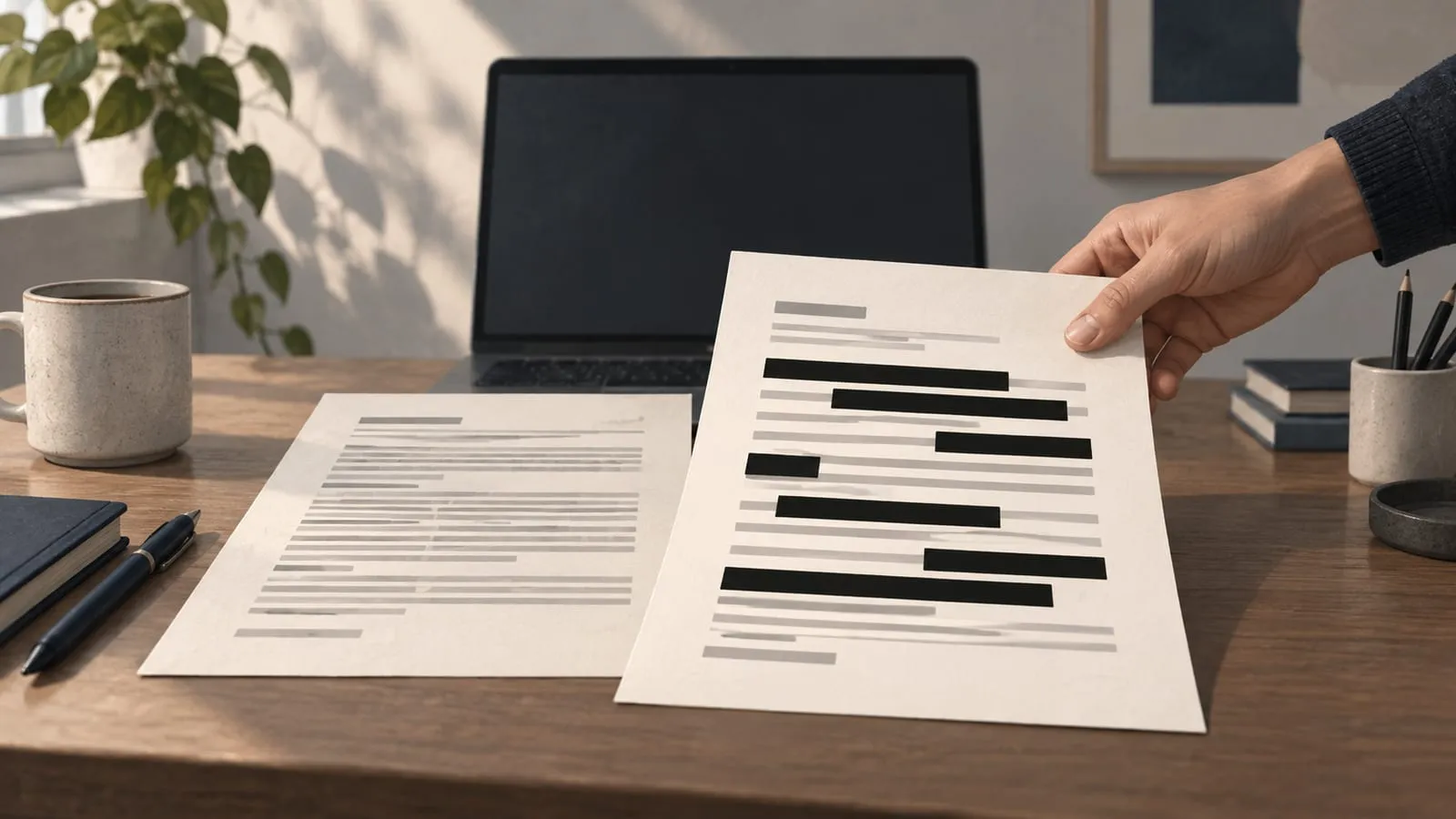
For the last two years I have been working in wellness and healthcare, most of it spent putting AI into a platform where a wrong answer is a clinical event rather than a bad review.
One thing I kept noticing in that time, and it is not specific to any one place, is how casually a medical document now gets handed to an AI model. Somebody has a blood report they do not understand. They photograph it, drop it into a chat window and ask what the numbers mean. That is a completely reasonable thing to do, and the model is good at it.
But the report does not only carry a haemoglobin value. It carries a name, a date of birth, an address, a medical record number, an insurance member ID. None of that is needed to read a lab result.
Financial documents go the same way. People paste in a bank statement to work out where the money went, and the account number, the address and every counterparty on it goes along too.
I did it myself, with my own blood test, which is how I properly noticed. I could have opened the PDF and deleted those lines by hand. That gets old by the third document, and it is easy to get wrong anyway. A redaction which fails usually fails quietly, and you find out after the text has already gone somewhere you cannot take it back from.
So I built Stripii. It takes a medical or financial document, removes the details which say who it is about, and gives you something you can paste into a chat window. Everything runs on your own machine. There is an open source command line tool and Python library, and a free Mac app for people who will never open a terminal.
This is how it got built. The first version took a day. The next six weeks were about making it trustworthy, and that is the part worth writing down.
The first day
The first commit went in on 15 September. A Python library with a command line wrapper. Feed it text, it finds identifiers and replaces them with placeholders like [[PERSON_1]].
Most of the work in a tool like this sits in three places. What you detect, how sure you are, and what you leave alone.
What to detect. Stripii now recognises 48 kinds of identifier. Some are universal: names, phone numbers, email addresses, dates. Some are medical: record numbers, insurance member IDs, NPI numbers, ages over 89. Some are financial: card numbers, bank accounts, IBAN, IFSC, routing numbers. And because the documents I actually care about are Indian as well as American, it knows Aadhaar, PAN and GSTIN alongside SSN and EIN.
How sure to be. A regular expression on its own is a poor detector. Nine digits could be a routing number, a phone fragment or a lab accession code. So each candidate gets a score built from three kinds of evidence.
A checksum which validates, Luhn for cards and Verhoeff for Aadhaar, is strong evidence. A label nearby on the same or the next line counts for something, so Routing Number: beside nine digits is worth more than the digits alone. And the specificity of the pattern itself matters. ABCDE1234F has the exact shape of a PAN. Nine digits do not have the exact shape of anything.
What to keep. This turned out to matter as much as detection.
On the first day a date pattern started eating clinical reference ranges, because two numbers joined by a hyphen look enough like part of a date to match. A lab report with its reference ranges removed is useless. The fix was small and it set the rule for everything after it. Clinical and financial content stays. The tool only removes who the document is about.
Names were the hard case from the start and they still are. Stripii finds them through labels like Patient Name:, titles like Dr. Chen, credentials like Chen, MD, relationship words like her daughter Elena, runs of capitals as printed on Indian forms, and a bundled list of given names. Once a name is found anywhere in a document, every other appearance goes with it. Other casings, the surname on its own, initials with the surname, the name glued into an email handle.
I stopped asserting and started measuring
By the second day I had tests which asserted the tool caught things. Then I wrote a commit called “Measure recall instead of asserting it”, and the tests stopped being the measure of quality.
The benchmark is a corpus of 84 synthetic documents with 688 labelled identifiers. On the health profile, Stripii scores 1.000 precision and 0.927 recall. Names at 0.79 and cities at 0.50 account for almost all of the misses.
That number is on the landing page and I do not round it up. A synthetic corpus only measures what its author thought to put in it, so the real number on real documents is probably lower. The benchmark is still worth having. It turns “I think this is better” into a number which either moves or does not.
Then I ran it on 51 real documents
On 21 September I ran the tool over 51 real documents from my own files. Medical reports, bank statements, identity documents, invoices, chat exports. They live in a folder which is ignored by git and blocked by a pre-commit hook, and every script which touches them prints counts and masked shapes like XXXX9999X, never values.
Two things came out of that run.
First, a list of leaks and damage which no synthetic document had shown. The commit which fixed them is called, plainly, “Fix the leaks and damage found by testing on 51 real documents.”
Second, a realisation about PDFs. The most common way redaction fails in the real world is a black rectangle drawn over text which is still sitting underneath it. You can select it, copy it, paste it.
So Stripii does not edit PDFs at all. It renders each page to an image, paints solid boxes over every detected value, and writes the page back out as an image. The output has no text layer, no annotations, no form fields, no attachments and no metadata. Photos lose their EXIF, GPS and XMP data at the same time. There is nothing under the boxes to recover.
So the output was safe to share. What I still did not know was whether the boxes had landed in the right places.
Reading its own work back
The obvious way to describe a tool like this is with a statistic. Catches 93% of identifiers. But that number is about other people’s documents. It says nothing at all about the one in front of you.
So I changed the question. After Stripii redacts a document it reads the output back with the same OCR engine, as if it were seeing it for the first time. Then it does two things.
It looks for every value it detected in whatever can still be read. And it runs every detector again over the read-back text, to catch anything it never detected in the first place.
What comes out is a grade measured on this file.
| Grade | Meaning |
|---|---|
| Ready | Read back. Nothing detected is legible, and every page was readable. |
| Check | Something was found only on a weak signal, such as a lone given name. The spots are outlined. |
| Held | A detected value is still legible, or a page could not be read. |
A held result is not a dead end. A review screen shows each page with the problem spots outlined. You click one to black it out, or drag a box over anything else, and Stripii reads the page back and grades it again.
The first graded run over the 51 real documents held 3 of them, and every document with a legible survivor was among the held ones. After the last round of fixes the run looks like this: 34 ready, 6 check, 10 held. Of 741 values read back, 711 are covered. The 30 which are still legible all sit in documents graded held. Not one is in a document marked ready or check.
That is the part which matters. The tool will miss things. What it must not do is miss something and then tell you the file is safe.
Scans, photos and Apple Vision
Text-layer PDFs give you exact word positions. Scans and photos give you pixels, so they need OCR.
I started with Tesseract because it runs everywhere. Then I tried it on a phone photo of a PAN card. Tesseract read nothing at all. Apple’s Vision framework, which runs on the Mac without any network, read the header and a valid PAN, four identifiers in all.
On the same 51 documents, moving from Tesseract to Vision took read-back coverage from 640 of 654 values to 727 of 740 at the time. Vision is the engine on macOS now. Tesseract stays for Linux and the command line.
Photos brought their own small traps. Vision reads upside-down text without complaining, so a bug in applying EXIF orientation only ever showed up under Tesseract. The photo tests now run on both engines for exactly that reason.
A promise is only as good as whoever makes it
The command line tool makes no network calls. It has no runtime dependencies in its default install, and CI runs the full suite with no optional packages installed, so a network library cannot sneak in.
But “it makes no network calls” is a promise, and a promise is only worth as much as the person making it.
For the Mac app I wanted something harder. An app which cannot reach the network, where the operating system enforces it and anybody can check. macOS supports exactly this. An app in the App Sandbox can only open a socket if its signature carries the network.client or network.server entitlement. Leave both out and the kernel refuses every connection. DNS, TCP, HTTPS, even listening on localhost.
So I did the frightening part first. Before writing any interface at all, I spent a day on a packaging spike. The smallest possible app, with Python and pdfium and Vision frozen into a bundle, sandboxed, signed, no network entitlement. A set of probes ran inside the sandboxed process and reported back.
| Inside the sandbox, no network entitlement | HTML (WebKit) build | Qt build |
|---|---|---|
| Writes outside the container refused | yes | yes |
| DNS, TCP, HTTPS, localhost listen all blocked | yes | yes |
| Keychain read and write | yes | yes |
| pdfium, Pillow, HEIC, Vision all load | yes | yes |
| Redact and read back a sample, 0 values legible | yes | yes |
| The window renders its interface | no, never | yes |
The finding which shaped the whole rest of the project is in that last row. WebKit will not render inside a sandboxed app which has no network entitlement. Adding network.client and nothing else made the page load in 0.27 seconds. Every web-view shell I could have used, pywebview or Tauri, hits the same wall.
That left a choice. Keep the HTML interface and add the network entitlement, and the offline promise becomes trust me. Or drop web views.
I dropped them. So the offline promise decided the technology. I think that is the right way round.
The first native version used Qt. It worked and it was 142 MB. In late October I rebuilt the interface in SwiftUI, after building another Mac app the same way and liking the result much more. That rebuild is the version which ships.
Two processes, one sandbox
The shipped app is two programs in one bundle.
Stripii.app
├── Contents/MacOS/Stripii               SwiftUI: windows, panels, clipboard, Keychain
└── Contents/Helpers/StripiiEngine.app   the Python core, frozen with PyInstaller
The engine is the same Python code as the command line tool. There is one implementation of detection and redaction, and the app contains none of its own. The helper is signed with exactly two entitlements, app-sandbox and inherit. inherit means it runs inside the app’s sandbox rather than getting one of its own, with the same lack of network and the same container.
The two talk over stdin and stdout, one JSON object per line. A few rules make that channel safe to use with medical documents.
Documents travel as bytes rather than paths, so the engine never needs access to your folders. Errors are a kind and never a message, because an exception raised while parsing a document can quote the document, so the engine returns “unreadable” or “password-protected” plus an exception type name and nothing else. Nothing goes on disk until you save: results live in memory, the engine copies an input into a private temporary folder at mode 0700 for the core to open, deletes it when the job ends, and sweeps up anything a crash left behind at the next start. And the names and numbers you always want removed are encrypted with AES-256-GCM, with the key a random 32-byte value in your Keychain. The Swift side owns that key and hands it to the engine at start-up.
Line-delimited JSON looks too simple to get wrong. I got it wrong. The first reader appended each chunk from the pipe to a buffer and then searched the whole buffer for a newline every single time. A redacted multi-page document comes back as one large line, and a 32 MB reply took 71.5 seconds to read. The fix was to search only the bytes which had just arrived. The same reply now takes 0.1 seconds.
The result is 77 MB installed and a 38 MB download, about half of the Qt build. Most of that is Python, pdfium and Pillow.
Two audits
Before making the command line tool public I had the core audited independently. It came back with 14 findings. One was critical and I want to state it plainly, because it is the kind of thing a privacy tool must never do.
Images inside ordinary text-layer PDFs were not being redacted at all, and the document was still graded ready. Think of a letter with a photo of an ID card pasted into it, or a report with a scanned prescription embedded on page three. The text layer was clean, so every check passed. The image went through untouched and the tool said the file was safe.
The read-back was supposed to catch exactly this. It did not, because it was looking for the values the tool had already found, and nothing had been found in the image.
The fix has two parts. Any page carrying images or drawn annotations is now OCR’d as well as read from its text layer, and both readings are redacted. And the read-back now runs every detector over the OCR of the output rather than only the known values. A page which still shows anything identifiable is held.
The other 13 findings were less dramatic and worth fixing anyway. CSV headers and JSON keys were not scrubbed, though column names can be identifiers. A debug repr could print an original value. Encrypted vaults could be written without a real passphrase. Writes were not atomic. Two dependencies sat below versions with known advisories. CI now pins its actions by commit and runs pip-audit.
The Mac app had its own independent review, which found 12 issues. Three of them taught me something.
A review with no boxes counted as a review. Open the review screen on a held result, click Apply without drawing anything, and the result was released. “You looked at it” had quietly become “it is fine.” Now a review needs at least one box, and if something is still legible afterwards, sharing it takes an explicit Share Anyway.
The release build could ship the wrong engine. On my machine the core was installed in editable mode from the working copy, so a release could freeze whatever happened to be sitting on disk rather than the tagged version. Release builds now create a clean environment from the pinned tag and refuse to build otherwise.
The clipboard was shared. macOS’s Universal Clipboard sends what you copy to your other Apple devices. Copied text is now marked local to this Mac and flagged so clipboard managers skip their history. Saved files get a neutral name like Redacted document 2026-10-31.pdf, because original file names very often contain the patient’s name. Saving into iCloud Drive, Dropbox, OneDrive, Google Drive or Box asks first, because those folders upload whatever you put in them.
One more bug came from the real documents rather than from a reviewer. A single page in one PDF was 95.6 megapixels at the 200 dpi I render at, over the per-page limit which stops a crafted file from exhausting memory, so the whole document was refused. Refusing is safe and it is not useful. Stripii now lowers the resolution for the whole document until every page fits. That document renders at 157 dpi, and it comes out graded held, which is the correct answer for it.
Not notarised
The Mac app is a free download and I do not have an Apple Developer account, so it is not notarised. macOS warns you the first time you open it and you have to click Open Anyway in System Settings.
I could have put that in small print. It sits directly under the download button instead, because somebody who meets that dialog with no warning will reasonably delete the app.
And there is an honest substitute for notarisation which I think is stronger. Notarisation would tell you Apple scanned the app. It would not tell you what the app is allowed to do. One command will.
% codesign -d --entitlements - /Applications/Stripii.app
[Key] com.apple.security.app-sandbox
[Value]
    [Bool] true
[Key] com.apple.security.files.user-selected.read-write
[Value]
    [Bool] true
That is the whole list. Open the files you choose, and nothing else. The app runs the same checks on itself from inside the sandbox, under Help, Check Stripii’s Privacy. That includes a real attempt to connect out, which only passes if macOS says no. The build script fails if a network entitlement, a web view or a networking library ever appears in the bundle.
The landing page follows the same rule. No scripts, no cookies, no analytics, and nothing loaded from any other server. Its before-and-after slider is dragged with the browser’s own resize handle, so even that needs no JavaScript.
What I would tell somebody building this
Do the frightening integration first. The packaging spike took a day and it settled the most important architectural question before there was any interface to throw away. If I had built the HTML interface first I would have found the WebKit problem after weeks of work, with every incentive to quietly add the network entitlement and stop thinking about it.
Grade the output, not the method. A statistic about other documents is not a statement about this one. Reading your own output back is slower, and it is the only way somebody can trust a “ready” without having to trust you.
There is a difference between missing something and missing it while saying the file is fine. The first is a recall problem and every tool like this has one. The second is a trust problem, and it is the one which hurts people. The critical audit finding was the second kind. So was the zero-box review.
Keep one implementation. The app has no detection code of its own. Every fix to the engine fixes the command line tool and the app at the same time, and the app pins the engine by tag.
Write the limits where people will read them. Stripii misses unlabelled surnames in prose. It cannot see a description which identifies somebody without naming them, like “the patient’s daughter, who teaches at the high school on Elm Street”. It only checks what OCR can read, so bad handwriting defeats the read-back. And de-identification is not compliance: the health profile implements the HIPAA Safe Harbor identifier list, which is a method and not a certification. None of that is in a footnote. It is on the landing page, next to a real miss shown unedited.
Where it stands
Stripii 0.3.0 is out. The engine and command line tool are MIT licensed on GitHub, and the Mac app is a free download for Apple silicon Macs running macOS 14 or later. Windows, Intel Macs and a PyPI release are not done. Opening the app’s source is something I may do later, since it would let anybody confirm the offline claim against the code as well as against the signature.
If you try it on your own documents, the most useful thing you can send me is one it got wrong. Not the document itself, of course. The shape of what it missed is enough.
- Landing page and download: stripii.nikhilrdeshpande.com
- Source, MIT: github.com/nikhilrdeshpande/stripii
- How it works, in detail: docs/architecture.md